Vectorizer

Convert images into vector graphics

At Vektoriziraj.si, we convert images into vector files. Choose manual or automatic vectorization to suit your artwork and its intended use. Vector graphics can be scaled without losing quality and are suitable for printing, cutting, embroidery and more. Choose a package below to get started!

How would you like to vectorize your logo?

Two options, one great result. Choose the one that best suits your needs.

Manual vectorization

Precise results for all types of logos.

50 €-20 €
29,99 €
Original bird logo→Vectorized bird logo
  • Your logo accurately recreated from the original
  • Even the smallest details and imperfections are refined
  • Ready for printing, web, embroidery, engraving and more
  • SVG, PDF, EPS and other vector formats
  • We check the final result before export
Request a quote →

100% satisfaction with the result
Automatic vectorization

Fast and affordable for simpler graphics

30 €-20 €
9,99 €
Original leaf→Vectorized leaf
  • A convenient choice for vectorization
  • Receive your result in seconds
  • SVG, PDF, EPS
Choose automatic vectorization →
SELECTED PROJECTS

From the original to every detail.

Explore examples from our customers and compare the original with the vector result.

Upload your image.

Drop your image here or select it. PNG, JPG and WebP are supported.

or paste with Ctrl + V
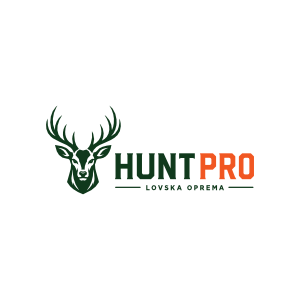
Original raster image of the HUNPRO logo Uploaded image
Vectorized HUNPRO logo in SVG formatUploaded image previewVector paths view
▦ ORIGINAL
↗ VECTOR RESULT

IMPORTANT

When is vectorization not suitable?

Below are common cases where vectorization is not recommended. Before uploading,
check whether your image falls into one of these categories.

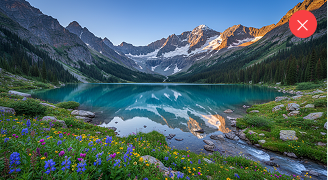
Landscape photograph

Photographs

Photographs contain many color transitions and details, so vectorization can lose their realistic appearance.

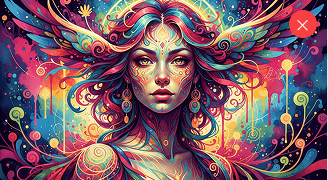
Color gradients

Complex gradients

Shadows, transparency and soft gradients cannot always be fully preserved in vector form.

Low-resolution example

Very low resolution

Very grainy or small images do not provide enough detail for a high-quality vector result.

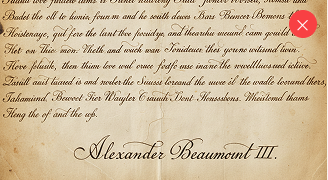
Scanned document

Scanned documents

Text, signatures and documents with heavy image noise or poor image quality, where a high-quality vector result cannot be guaranteed.

Highly complex illustration

Highly complex images

Illustrations with many details, textures and color shades are not suitable for vectorization.

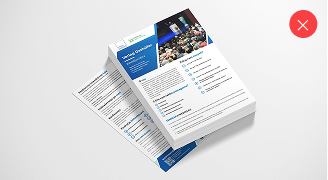
Flyer

Flyers, business cards and more

Layouts with many text blocks and elements are difficult to vectorize accurately and may not be suitable for other sizes or printing.

How does vectorization work?

section-shape

With manual vectorization, we carefully redraw the pixels of your image as geometric shapes. The resulting vector file can be scaled without losing quality, making it suitable for printing, cutting or embroidery.

Choose a package

Choose manual or automatic vectorization based on the complexity of your logo.

We recommend manual vectorization for complex logos and automatic vectorization for simpler graphics.

Upload your file

In the next step, upload your image and enter your details.

Image files such as JPEG and PNG consist of tiny squares called pixels, each with its own color.

Receive your file

We prepare your final result in the following formats:

SVG, PDF, AI, EPS and more, for flexible and convenient use in your projects.

We manually review your file

Each file is carefully checked

We carefully review each manually vectorized file and make corrections where needed. We pay particular attention to smooth, properly closed paths without gaps, so the file is suitable for printing, cutting and further editing.

Vector image

Raster to vector conversion

section-shape

Discover how raster images can be converted into different vector formats for flexible use without loss of quality when scaled.

section-icon

PNG and JPEG to SVG

Convert your images into SVG and enjoy the flexibility of scalable vector graphics.

section-icon

PNG and JPEG to EPS

Convert your images into EPS, a vector format suitable for professional design and printing.

section-icon

PNG and JPEG to vector PDF

Convert your images into vector PDF files for high-quality printing and versatile use.

section-icon

PNG and JPEG to DXF

Convert your images into DXF for use in CAD, CAM and 3D modeling software.

FAQ

Vectorization questions, answered

From PNG to SVG conversion to choosing a package: practical answers to help you prepare your logo for its next use.

What is vectorization, and how is a vector image different from PNG or JPG?

Vectorization converts an image made of pixels into geometric shapes and paths. Vector artwork can be enlarged without pixelated edges caused by scaling, while PNG and JPG enlargement is limited by resolution. Simply saving an image inside an SVG file does not create real vector paths.

How can I convert a PNG or JPG logo to SVG, PDF or EPS?

At Vektoriziraj.si, choose manual or automatic vectorization, upload your logo and enter your email address. With the automatic package, review the preview and continue to payment; with the manual package, request a quote. Use the sharpest original you have for the best result.

Should I choose manual or automatic logo vectorization?

Automatic vectorization suits simple logos and graphics with clear edges and few colors. Manual vectorization is a better choice for complex logos, small lettering and details that need precise corrections. Manual processing also includes checking the shapes and closures of paths.

How much does vectorization cost, and how soon will I receive my files?

The website lists the automatic package at €9.99 and the manual package at €29.99. For manual work, submit a quote request first; the price and delivery time for your specific artwork are confirmed in the quote. Automatic files are emailed after successful payment and processing, usually within seconds.

Can I preview the vectorization result before paying?

Yes. After uploading an image for an automatic order, you receive a watermarked PNG preview that you can compare with the original and zoom, including with a pinch gesture on a phone. You can change the background behind transparent images. The preview is a raster image; final vector files are delivered after payment.

Which vector formats will I receive, and are they delivered by email?

The automatic package includes SVG, PDF and EPS. Final files are sent to the order's email address after successful payment and processing. SVG is useful for websites and editing, while PDF and EPS suit many print workflows. Request any additional formats when asking for manual vectorization.

Can a small, blurry logo or photograph be vectorized?

A small or blurry logo is harder to recreate accurately because details are missing from the original. Send your best available artwork for assessment for manual vectorization. Photographs, complex gradients and textures are generally unsuitable if you want to preserve their realistic appearance.

Are vector files suitable for printing, laser cutting and embroidery?

Vector paths provide a useful starting point for enlarging logos, printing, engraving and cutting, but your supplier determines the required format, colors and path preparation. Embroidery usually needs additional digitizing into a machine embroidery program. SVG, PDF or EPS is not itself that program; include special requirements in your manual quote request.